
Integrating Odoo with MSSQL
This guide describes a practical approach to connect Odoo 19 with a Microsoft SQL Server database using the pyodbc library and FreeTDS. It addresses the specific challenge of installing required system dependencies when standard Debian packages for MSSQL are unavailable.
The challenge
A client requirement involved integrating Odoo 19 with Microsoft SQL Server to enable data exchange. The preferred Python library for this task, pyodbc, has non-standard system dependencies, notably unixodbc and related ODBC drivers. However, Debian Bookworm’s default APT repositories do not include a Microsoft SQL Server ODBC driver package.
Our platform allows users to specify additional Debian packages for Odoo or PostgreSQL containers via free-text fields. Yet, due to the absence of an official MSSQL package in the standard repositories, a different solution was required.
The solution
To bridge this gap, we implemented the FreeTDS ODBC driver. FreeTDS is a set of open-source libraries that enable native communication with Microsoft SQL Server and Sybase databases from Unix/Linux systems. It is readily available in the Debian Bookworm APT repositories.
Required Debian Packages
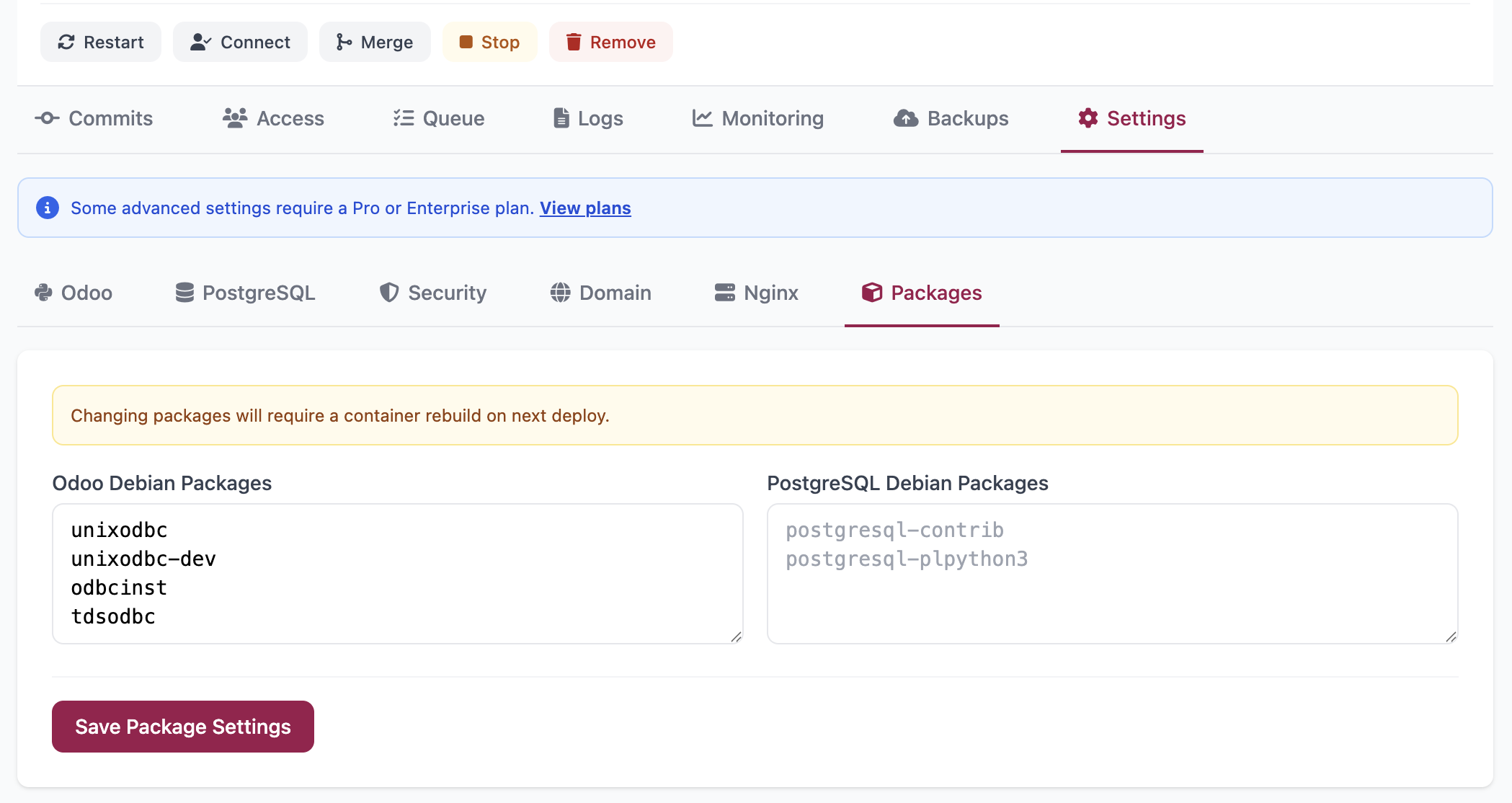
Add the following packages to the Odoo container’s Debian packages configuration:
unixodbc
unixodbc-dev
odbcinst
tdsodbc
After adding these packages, restart the Odoo instance to install them.
Our platform lets users declare extra system packages per instance through two free-text fields:
- Odoo Debian Packages and
- PostgreSQL Debian Packages.
This allows installation of debian packages inside the relevant container whether Odoo or PostgreSQL on restart.
Establishing a Connection
Once the packages are installed, you can connect to your Microsoft SQL Server from a custom Odoo module using the FreeTDS ODBC driver. Below is a minimal connection example using pyodbc:
import pyodbc
conn = pyodbc.connect(
    "DRIVER={FreeTDS};"
    "SERVER=your.host;PORT=1433;"
    "DATABASE=yourdb;"
    "UID=user;PWD=pass;"
    "TDS_Version=7.4;"
)
Key Configuration Notes
TDS Version: TDS_Version=7.4 is recommended for compatibility with SQL Server 2008 and later.
Port: The default MSSQL port is 1433. Adjust if your server uses a non-default port.
Security: Avoid hardcoding credentials in code. Use Odoo’s secure configuration methods or environment variables.
Summary
By leveraging FreeTDS instead of unavailable official MSSQL packages, you can successfully integrate Odoo 19 with Microsoft SQL Server. This method requires only a few standard Debian packages and a straightforward ODBC connection string, avoiding custom Docker image rebuilding in our platform environment.
Updated 6 months ago